

How to Find Your OpenAI Pixel ID
Overview
Follow this guide to learn how to fin your OpenAI Pixel ID.
How to Find Your OpenAI Pixel ID
Access Conversion Key:
- Once you have logged into your OpenAI Ads Manager account, use the left-hand navigation menu to click on the "Tools" tab. An additional drop-down menu will appear, click on the "Conversions" tab.
- (See Figure 1)
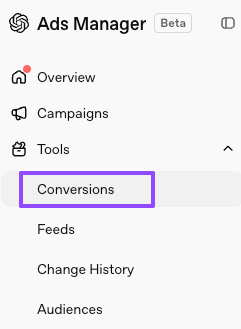
Figure 1
Locate Pixel ID:
- Once you have accessed the Conversions page, use the top menu to click on the "Data Source" tab.
- Hover over the ID below your Data Source name and click to copy.
- (See Figure 2)
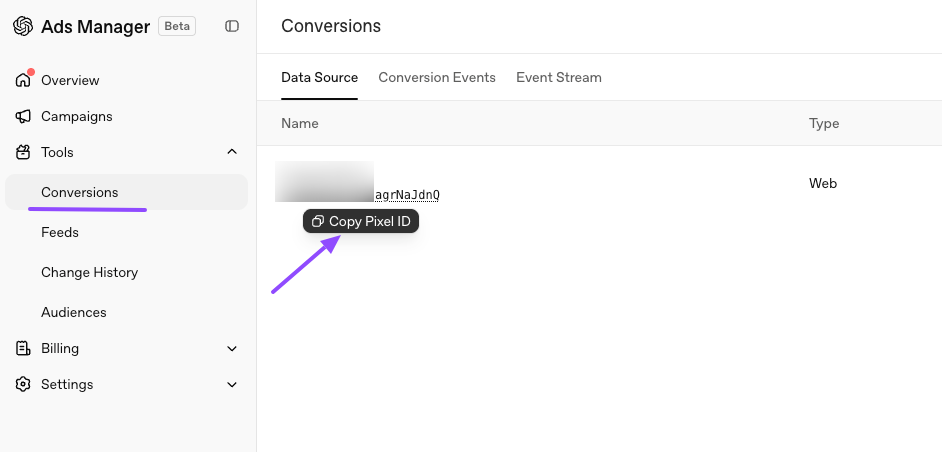
Figure 2
Updated about 1 hour ago
Did this page help you?