

How to Disable the AppLovin Pixel in Shopify
Learn the steps to disable the pixel sharing inside the AppLovin App.
Navigate to the AppLovin app:
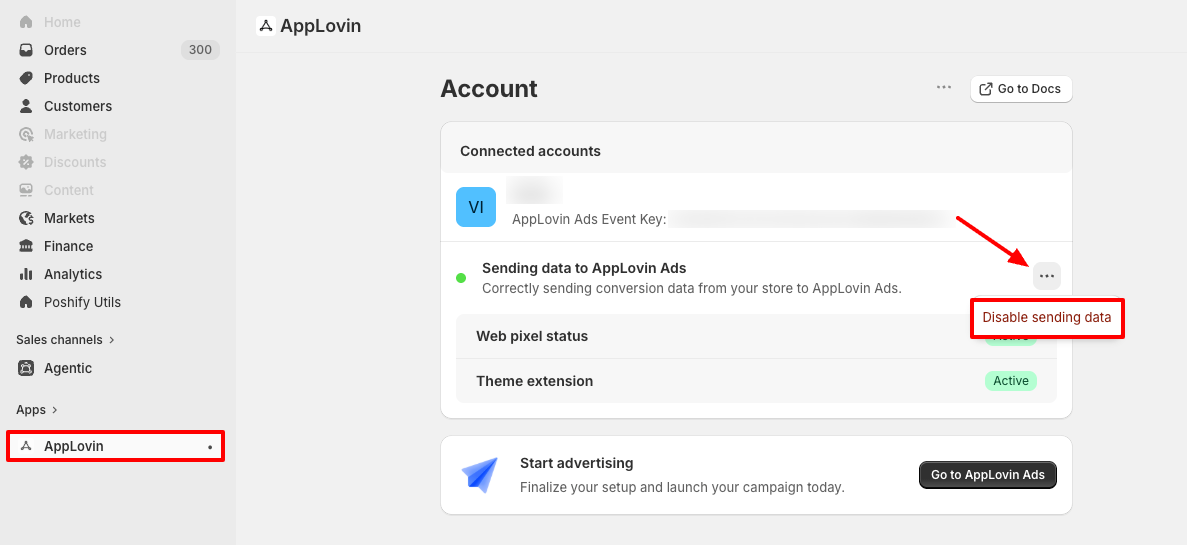
- Begin on your Shopify homepage and use the left-hand menu to click on the "Apps" tab and select the "AppLovin" app.
Disable Sending Data
- Click the dropdown menu next to "Sending data to AppLovin Ads" and select "Disable sending data".
- Confirm "Disable sending data" on the resulting popup.
Updated 3 months ago
Did this page help you?