

How to Find LinkedIn Partner ID
In order to setup Google Tag Manager tags for LinkedIn, we'll need to have a LinkedIn Partner ID
Step 1: Sign in to your Campaign Manager
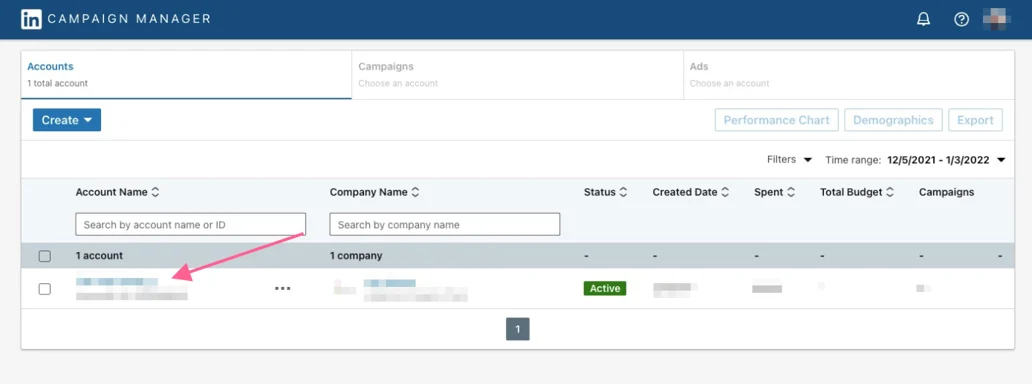
Step 2: Click the Account Name of the website you'd like to set up tracking for.
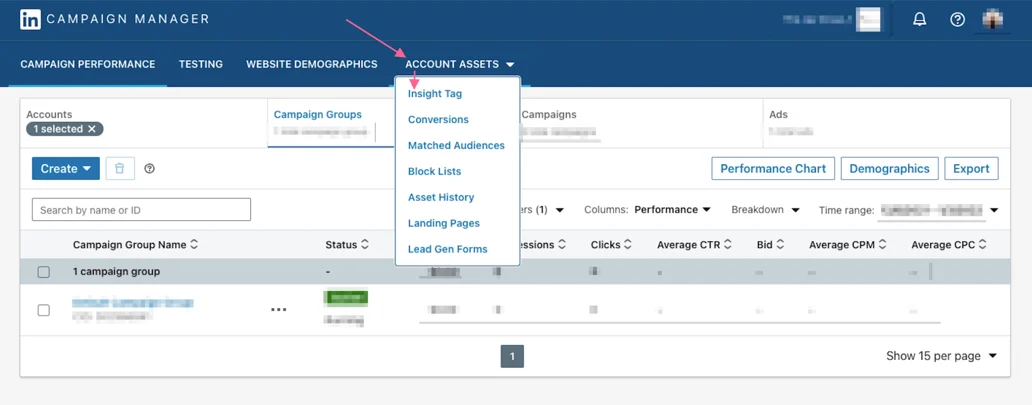
Step 3: Click Account Assets > Insights Tag
Note: if you have not yet setup your Insight Tag, please follow these instructions for first time users instead.
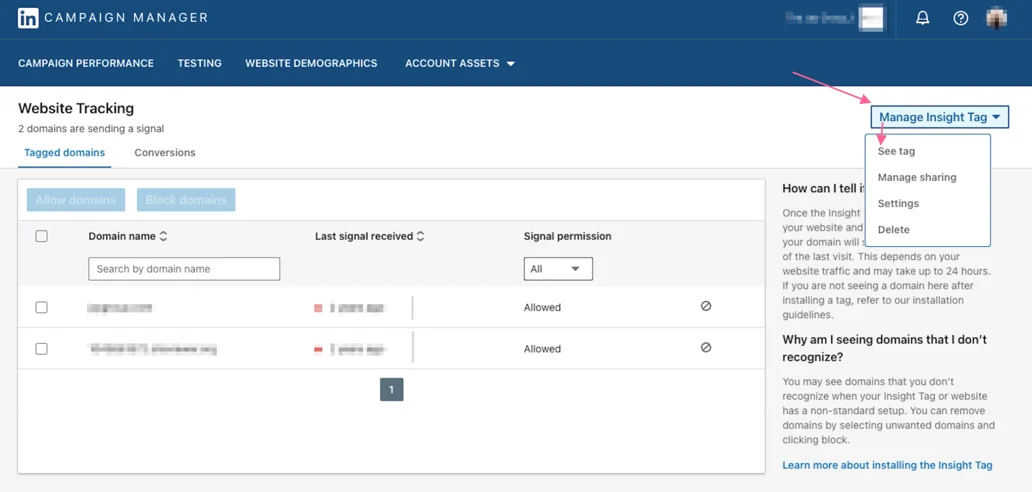
Step 4: Select Manage Insight Tag > See Tag
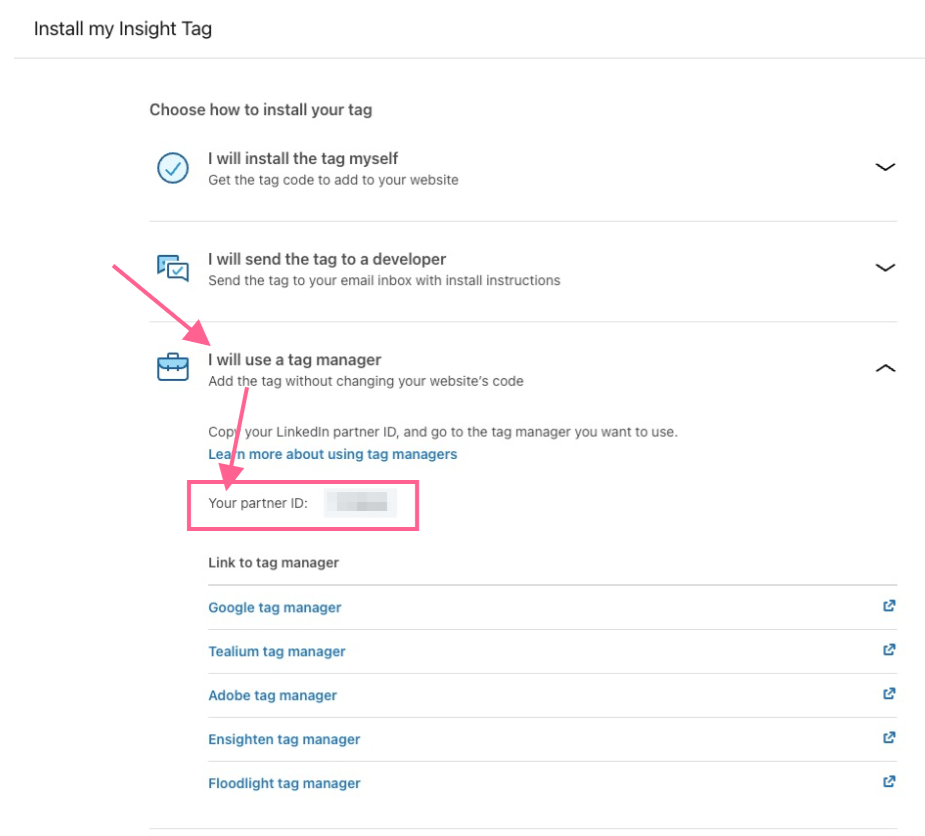
Step 5: Click I will use a tag manager
Your Partner ID will be listed in a box below! Example: 1111111
Does Linkedin's interface look different than what's listed above? Linkedin might have updated their steps! If that's the case, follow Linkedin's Access your LinkedIn partner ID article instead.
Updated 7 months ago
Did this page help you?